Learn how to operate the Groundwork Simulator dump truck, move earth efficiently, transport materials, and strike gold in this PC simulation game.
Ready to reshape open worlds and haul massive loads of earth? If you are diving into the gritty world of heavy machinery, getting comfortable behind the wheel of a Groundwork Simulator dump truck is your key to success. Whether you are managing a starter cut mining operation or transporting raw earth across sprawling terrain, mastering this vehicle is essential for turning a profit.
Operating heavy machinery effectively requires patience, precision, and an understanding of logistics. In this comprehensive guide, we will break down everything you need to know about utilizing a Groundwork Simulator dump truck to maximize your excavation efficiency, manage material flow, and conquer the open world.
Understanding Your Fleet: The Role of Heavy Machinery
Before you can strike it rich, you need to understand how different pieces of heavy equipment work together. Transporting mined material is only one part of the puzzle. To build a successful workflow, your heavy haulers must coordinate seamlessly with excavators and wheel loaders.
Player experience indicates that establishing a smooth routine between digging and hauling prevents bottlenecks at the mining face. Without an efficient transport vehicle keeping up with your excavator, your washing plant will sit idle, wasting precious time and resources.
| Machine Type | Primary Function | Workflow Stage |
|---|
| Excavator | Digging up raw earth and testing deposits | Phase 1: Extraction |
| Wheel Loader | Moving loose material and assisting cleanup | Phase 2: Material Handling |
| Dump Truck | Transporting heavy loads across the map | Phase 3: Hauling & Delivery |
| Washing Plant | Processing materials to recover valuable ore | Phase 4: Recovery |
Operating the Groundwork Simulator Dump Truck: Best Practices
Driving a massive transport vehicle through rugged, unpaved terrain is vastly different from cruising down a paved highway. When you step into the cab of your hauling rig, vehicle physics and load distribution play massive roles in how well you maneuver.
Community reports emphasize that overloading your bed or taking sharp turns too quickly on uneven ground can lead to tipping or getting stuck in soft mud. Here are a few vital tips for optimal operation:
| Operating Scenario | Recommended Technique | Common Mistake |
|---|
| Loading | Position your rig on a level surface parallel to the excavator. | Parking on a steep slope, causing shifting loads. |
| Hauling | Maintain steady momentum; use lower gears on steep inclines. | Braking too hard while cornering with a full bed. |
| Dumping | Ensure the target area is clear and stable before raising the bed. | Dumping on loose, uncompacted soil that shifts under weight. |
Setting Up Your Starter Cut and Hauling Routes
Efficiency in gold mining and earthmoving comes down to route optimization. When you set up your starter cut, you want to minimize the travel distance between your excavation zone and your processing facility.
Every minute spent crawling across the map in a heavy hauler is a minute not spent washing dirt and recovering gold. Planning logical roadways prevents your equipment from getting bogged down in the mud. Check out official updates and community discussions on the Steam page for Groundwork Simulator to see how other players design their layouts.
- Keep Haul Roads Clear: Use bulldozers to flatten tracks and remove obstacles that slow down transport vehicles.
- Maintain Line of Sight: Position your processing setup where you can easily spot incoming transport rigs.
- Coordinate Co-Op Roles: Assign specific players to digging, loading, and driving to keep operations running 24/7.
Overcoming Common Transport Challenges
Every simulation enthusiast encounters hurdles when handling large vehicles. Whether it is navigating tight switchbacks or dealing with sudden terrain deformation, knowing how to react saves your operation from financial ruin.
| Challenge | Cause | Solution |
|---|
| Vehicle Bogging Down | Driving through deep, uncompacted mud | Switch to a loader or bulldozer to smooth the path; maintain momentum. |
| Slow Cycle Times | Long, winding transport routes | Relocate your washing setup closer or flatten a direct shortcut road. |
| Steering Sluggishness | Uneven weight distribution in the truck bed | Ensure loaders distribute earth evenly across the center of the bed. |
Conclusion
Mastering earthmoving operations requires a solid grasp of how every vehicle in your fleet interacts. By optimizing your transport routes, coordinating with your team in online co-op, and driving with precision, you will transform raw dirt into pure profit. Get ready to hit the dirt road and build your fortune.
Frequently Asked Questions
Can I play Groundwork Simulator with friends?
Yes, the game features online co-op, allowing you and your friends to divide labor—such as assigning one player to the excavator and another to the transport vehicle—to run a massive mining operation together.
How do I prevent my vehicle from getting stuck in the mud?
To avoid getting stuck while driving heavy transport vehicles, try to stick to established haul roads, use bulldozers to flatten rough terrain, and avoid carrying excessive loads over deeply uncompacted soil.
What is the main objective in Groundwork Simulator?
The primary goal is to test deposits, dig up the open world using massive machinery, transport the material to a washing plant, and recover valuable gold to expand your operation.

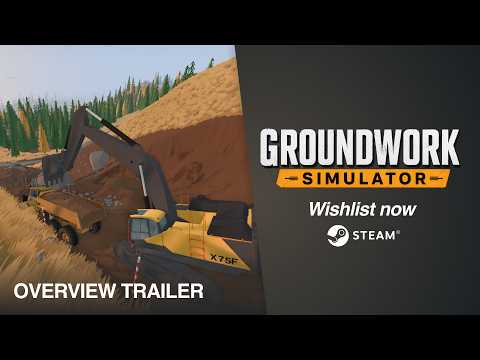 Official mediaLearn how to operate the Groundwork Simulator dump truck, move earth efficiently, transport materials, and strike gold in this PC simulation game.YouTube