Learn how to secure your Groundwork Simulator first gold, master heavy machinery, set up water systems, and start mining like a pro.
Securing your Groundwork Simulator first gold is the ultimate milestone that transforms you from a struggling newcomer into a legitimate mining tycoon on your grandfather's old family claim. Achieving your Groundwork Simulator first gold requires a careful blend of mechanical mastery, water management, and smart resource setup in this exciting simulation game available on Steam. Whether you are just firing up your excavators for the very first time or trying to understand how the complex soil and water mechanics work, this comprehensive walkthrough will guide you through every step of the early-game mining loop.
Setting Up Your Claim and Getting Water Flowing
When you first arrive at the family claim left by your grandfather, the immediate priority is establishing infrastructure before you touch a single shovel. According to player experiences and community reports, nothing runs on a dry claim.
Your first task is following the airline to Pump One by the river, connecting its input to the water source, and routing its output directly to your washing pond. Once your water is moving, you must position and set up your small conveyor and wash plant components.
| Equipment Component | Placement Goal | Action Required |
|---|
| Pump One | River to Pond | Connect input to river, run output to pond |
| Small Conveyor | Wash Line Position | Press K to set up, raise/lower into amber circle |
| Generator | Near Wash Plant | Purchase for $200 via the machine dealer |
As noted by early players, you will also need to acquire a larger generator via the in-game machine dealer to supply adequate power. Once your water and power grids are fully operational, you are ready to climb into the cab of your very first piece of heavy equipment and start breaking ground.
Excavating and Hauling Pay Dirt to the Wash Plant
The heart of the experience is reshaping the landscape with realistic physics and hydraulic resistance. Climbing into the EX20C excavator introduces you to the nuanced controls of bucket tilt, boom movement, and cab rotation.
When digging your starter cut, community feedback highlights that patience is key. You will want to scoop up promising dark gravel and load it carefully into your short-wheelbase dump truck.
| Vehicle/Machine | Primary Function | Control Tips |
|---|
| EX20C Excavator | Digging pay dirt | Use I/K for boom, C for camera mode |
| Dump Truck | Hauling material | Keep close to excavator to avoid spilling loads |
| Wheel Loader | Compacting piles | Use T to level bucket for precise dumping |
Once your dump truck is loaded, navigate the rough terrain and dump the material near the gravel path east of the wash line. From there, hop into the wheel loader, use the leveling feature, and push the dirt into a compact pile right over the designated registration marker.
Running the Wash Plant and Collecting Your First Gold
With your dirt piled neatly beside the conveyor, it is time to fire up the wash plant, turn on the drums and belts, and watch the system process your raw material.
| Processing Stage | Description | Action/Key Command |
|---|
| Washing Phase | Separating rocks from pay dirt | Turn on drums and belts; feed material through |
| Sluice Box Cleanup | Capturing heavy concentrates | Stop wash plant, shutter down, press E to empty |
| Shaking Table | Refining the final product | Place concentrate, inspect jar with right mouse button |
After the material runs through the wash line, you must service the sluice box and bring your concentrate over to the shaking table. Interacting with the cleanup jar reveals your hard-earned rewards. Selling your yield boosts your bank account significantly, paving the way for advanced operations and heavier machinery.
Drilling Deeper: Sampling with the DR64 Drill Truck
Securing your initial payout is only the beginning. To scale your mining operation, you must locate richer deposits using advanced testing equipment.
Community reports recommend hiring the DR64 drill truck via the machine dealer to test deeper soil layers across your claim.
| Drilling Step | Operational Goal | Key Mechanics |
|---|
| Positioning | Park inside amber marker | Engage differential locks for rough terrain |
| Stabilization | Secure the vehicle | Press G to lower stabilizers |
| Rotary Drilling | Sample deeper layers | Press K to start drill, add rods as needed |
Operating the drill truck requires careful management of your vehicle's traction and positioning. As you drill test holes, you will notice fascinating environmental details—such as water draining directly into your drill holes—showcasing the game's advanced physics engine. Review your drill logs on the gold map to compare markers and determine where to direct your future excavation efforts.
Frequently Asked Questions
How do I get water to my wash plant in Groundwork Simulator?
You must connect Pump One's input to the nearby river and run its output hose directly into your designated washing pond. Ensure your generator is purchased and powered on to keep the water flowing continuously.
What is the best way to load dirt into the dump truck?
Position your short-wheelbase dump truck closely alongside the excavator. Keep your bucket movements steady and avoid over-extending, as camera angles can be tricky until you get used to the excavator's hydraulic response.
How do I sell my gold after cleanup?
Once you finish processing your concentrate on the shaking table, inspect the gold jar and open the gold price menu. Select your collected gold to sell it and add funds to your account for purchasing upgraded vehicles and generators.
Why are my drill holes interacting with the water system?
Groundwork Simulator features advanced soil and water physics. When you drill deep holes into the terrain, standing water on the surface will naturally drain into the excavations, adding an extra layer of realism to your worksite management.

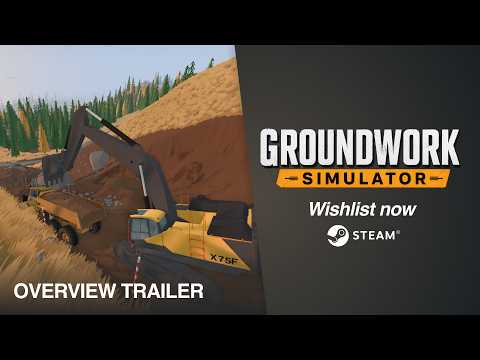 Official mediaLearn how to secure your Groundwork Simulator first gold, master heavy machinery, set up water systems, and start mining like a pro.YouTube