Learn how to optimize your Groundwork Simulator wash plant setup with community insights, starter cut strategies, and heavy machinery tips for early access.
Jumping into heavy machinery simulation games can be daunting, especially when you are trying to figure out your first Groundwork Simulator wash plant setup. Getting your Groundwork Simulator wash plant setup right from the very beginning is essential for maximizing your early-game efficiency, turning raw dirt into profit, and avoiding frustrating bottlenecks. Whether you are following community timelapse guides or experimenting on your own, understanding how to place your equipment and run your starter cuts effectively makes all the difference.
Understanding the Early Access Landscape
The release of Groundwork Simulator on platforms like Steam has brought a fresh wave of excitement to fans of heavy machinery and simulation games. As with many early access titles, players have jumped in to test the waters, build their mining operations, and share their progress online.
Community reports indicate that while players are largely thrilled with the depth of the heavy machinery mechanics, early access comes with its usual quirks—ranging from control layout learning curves to minor bugs. However, creators and veteran simulation fans have already begun publishing helpful content, such as starter cut timelapses and workflow guides, to help newcomers get up to speed.
| Feature / Aspect | Early Access Status | Community Impact |
|---|
| Machinery Control | Complex / Customizable | Requires patience; some remapping needed |
| Performance | Mostly stable | Occasional loading hiccups reported |
| Mining & Processing | Highly engaging | Starter cuts require precise equipment placement |
| Updates | Frequent anticipated | High player engagement and feedback loops |
Planning Your Starter Cut and Excavation Zone
Before you even think about routing water or feeding paydirt, you need a solid excavation strategy. A well-planned starter cut sets the foundation for your entire operation. If you dig haphazardly, you will quickly find yourself repositioning heavy excavators and trucks, wasting valuable in-game time.
When planning your initial site, look for a balanced gradient that allows easy transport between the dig site and your processing equipment. Community builders often recommend keeping your extraction point relatively close to your initial wash plant to minimize fuel consumption and cycle times for your haulers.
| Zone Type | Primary Objective | Recommended Equipment |
|---|
| Dig Site | Extracting raw paydirt | Large Excavator, Bucket Loader |
| Haul Road | Transporting material | Articulated Haul Truck |
| Processing Pad | Washing and filtering | Mobile Wash Plant, Water Pump |
| Tailings Area | Storing waste rock | Bulldozer or secondary loader |
Optimizing Your Groundwork Simulator Wash Plant Setup
The core of your early-game economy relies on how efficiently your washing equipment processes material. A haphazardly assembled processing line leads to clogs, low recovery rates, and wasted effort.
When executing a proper Groundwork Simulator wash plant setup, alignment is everything. Ensure your loader has a clean, unobstructed path to dump paydirt directly into the hopper. Furthermore, make sure your water supply lines are properly connected and powered so that you never experience pressure drops during peak processing cycles.
Key Steps for Wash Plant Placement
- Clear and Level the Terrain: Use a bulldozer to flatten the pad where your wash plant will sit. Uneven ground can cause physics glitches or operational failures.
- Position the Water Source: Place your intake pumps close to a reliable water source and run your hoses securely to the wash plant inlet.
- Align the Feeding Hopper: Set up your excavator or loader ramp so that buckets can be emptied smoothly without hitting the machine frame.
- Manage Tailings: Ensure there is enough clear space behind the plant for waste material to accumulate without burying your equipment.
Heavy Machinery Management and Troubleshooting
Operating heavy machinery in a physics-based simulation requires a delicate touch. Community reports show that while the simulation fidelity is impressive, mastering the controls takes time. Some players have noted frustration with default control assignment systems, making it vital to spend a few minutes rebinding keys or controller inputs to suit your playstyle before tackling major excavation projects.
Routine maintenance and smart driving habits will save you from frustrating downtime. Avoid overloading your haul trucks on steep inclines, and always keep your excavator tracks perpendicular to steep drop-offs to prevent tipping.
| Machine Type | Common Operational Pitfall | Pro Tip for Efficiency |
|---|
| Excavators | Overfilling buckets causing track lift | Take bite sizes matched to bucket capacity |
| Haul Trucks | Speeding on uneven haul roads | Maintain steady momentum on inclines |
| Wash Plants | Starving the hopper of paydirt | Maintain a steady feed rate rather than massive dumps |
Community Feedback and Early Access Reception
The simulation community has embraced the title with enthusiasm, sharing timelapse videos and setup guides across social media platforms like Facebook and YouTube. While users have reported minor bugs typical of launch week—such as loading issues or initial control configuration hurdles—the overall sentiment remains overwhelmingly positive.
Player experience highlights that looking toward experienced creators for workflow inspiration can drastically cut down your learning curve. Watching how veteran builders layout their starter cuts helps clarify spatial requirements that might not be immediately obvious during your first hour in the driver's seat.
Frequently Asked Questions
What is the most important factor in a Groundwork Simulator wash plant setup?
Leveling the ground and ensuring a steady water supply are the most critical factors. If your terrain is uneven or your water pressure fluctuates, your processing efficiency will plummet.
How do I fix control issues in early access?
If you encounter frustrating default keybindings, navigate to the settings menu immediately upon starting the game to remap the controls to a configuration that matches your preferences.
Where can I find visual examples of starter setups?
Many veteran simulation content creators share timelapse videos and setup guides on YouTube and community groups, offering a great visual reference for efficient site design.

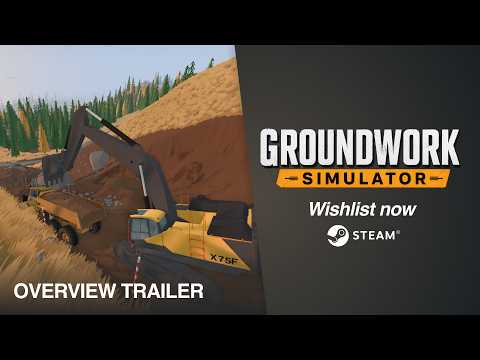 Official mediaLearn how to optimize your Groundwork Simulator wash plant setup with community insights, starter cut strategies, and heavy machinery tips for early access.YouTube